
Creating Item Rules
Register a crafted item name and attach BCX rules with the virtual authoring flow.
This page covers how to register a crafted item name and attach BCX rules to it using BCXIR’s virtual authoring flow.
The registry
Every item rule you create lives in your local registry, keyed by your member number:
localStorage["BCXIR_registry_<MemberNumber>"]Each entry has:
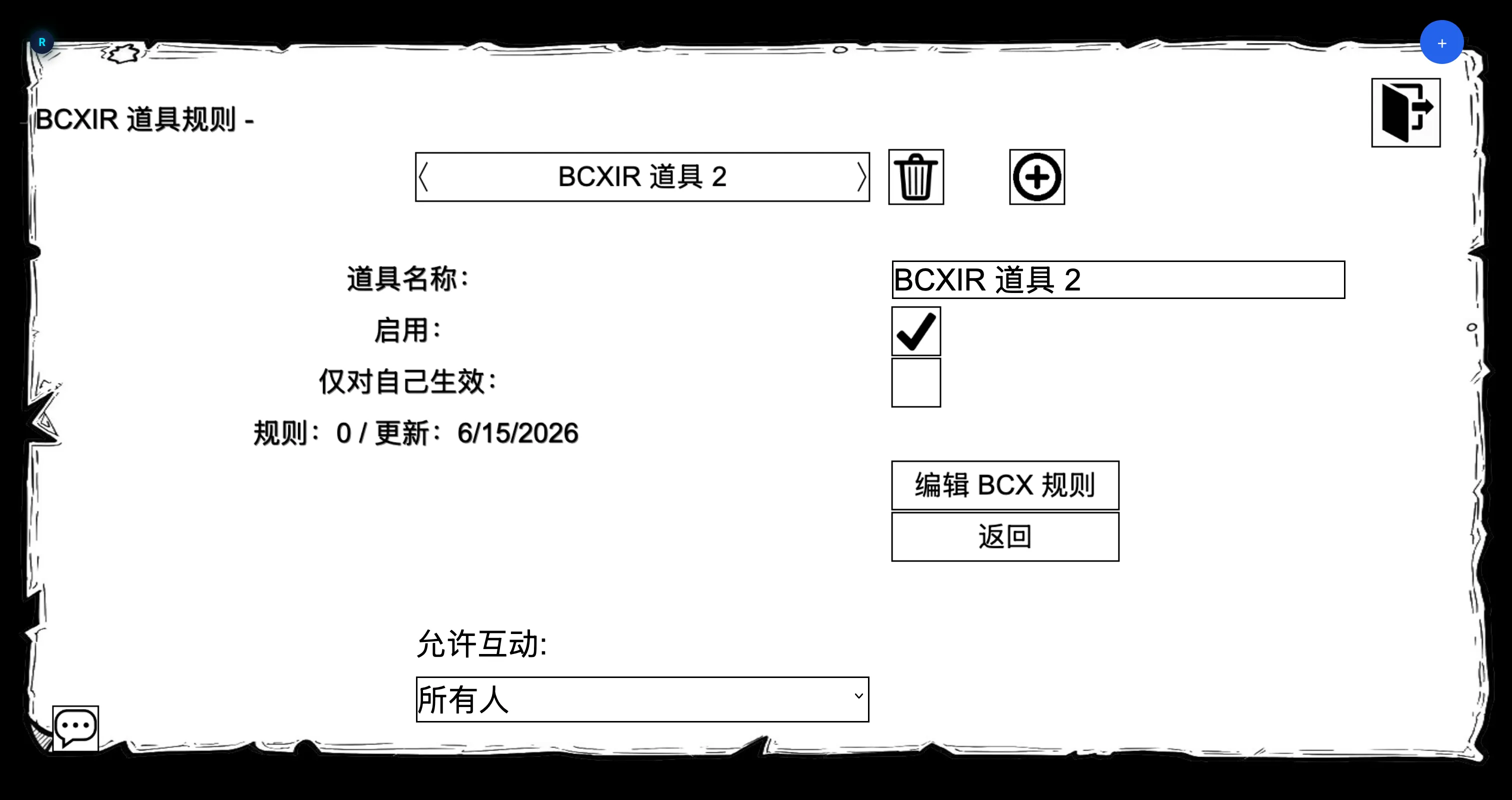
| Field | Meaning |
|---|---|
| Name | The exact crafted item name to match. |
| Enabled | Whether the entry participates in matching/sharing. |
| Self-only | If on, the rule is for you only and is never shared to other players. |
| Rules count | How many BCX rules the payload contains. |
| Updated | Last edit timestamp. |
Create an entry
- Open
BCXIR Settings→ Item Rules. - Choose Create / Add and type the crafted item name exactly as it appears in game.
- A new, enabled entry is created with a valid but empty payload, ready to edit.
From the Item Rules list you can also rename, duplicate, enable/disable, delete, match test, and sync entries.
Edit rules with the virtual authoring character
Selecting Edit BCX Rules starts an authoring session:
- BCXIR activates a virtual BCX transport and creates a temporary local
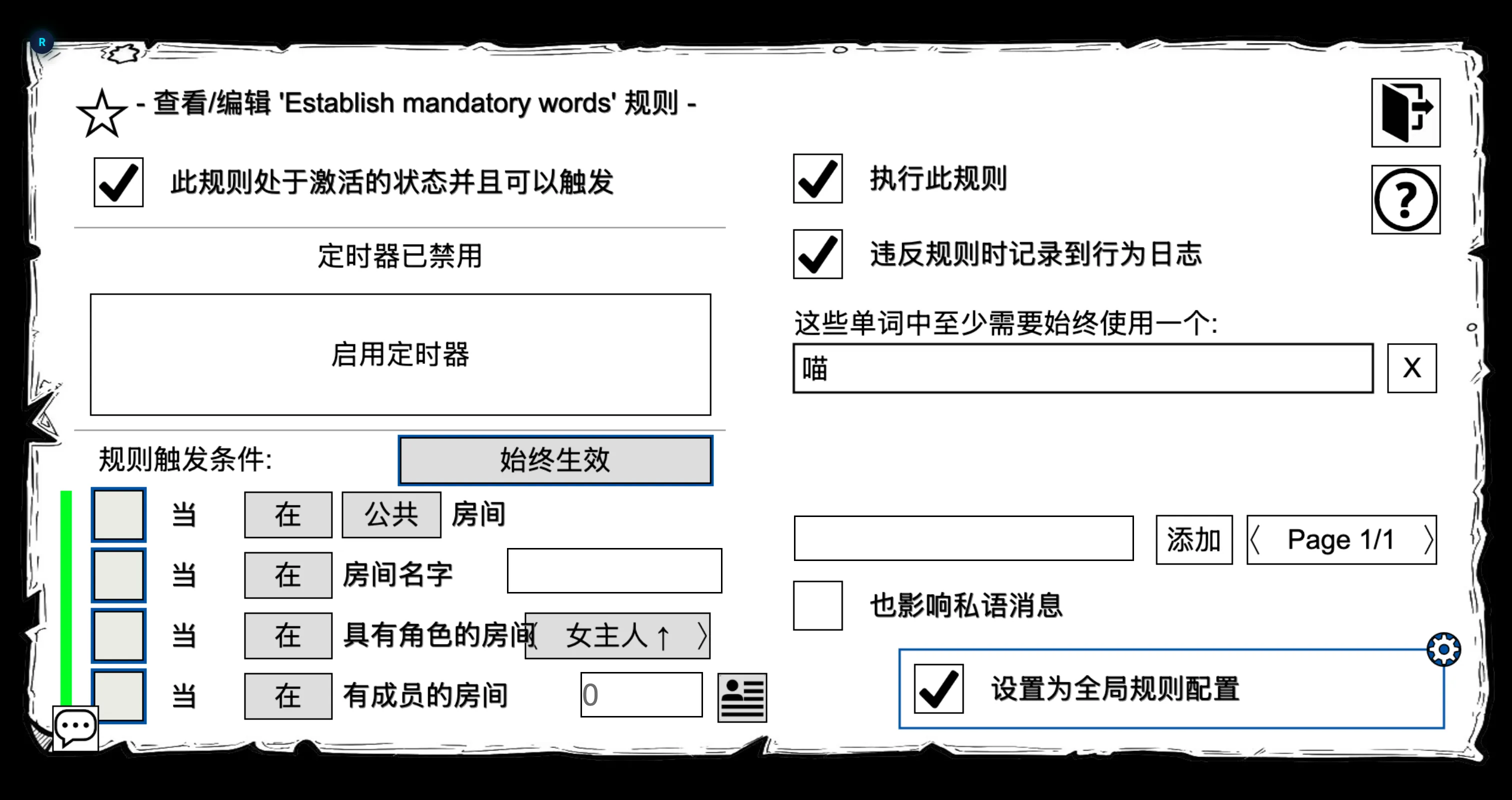
BCXIR Authoringcharacter. - It opens that character’s Information Sheet → Rules, giving you the real BCX Rules editor.
- Everything you do there is answered locally by an in-memory virtual rules store; nothing is sent to the server and your own BCX is never touched.
Inside the editor you can use the BCX Rules features that the authoring store supports, including creating, deleting, and configuring rule conditions and the Rules global configuration.
When you choose Finish / Save:
- The virtual rules are exported as a compact BCXIR payload.
- The payload is saved to the registry entry under the item name you were editing.
- The temporary character and virtual transport are cleaned up.
Cancelling. If something goes wrong, you can cancel authoring from Debug / Diagnostics → Cancel authoring. The temporary character and transport are removed without saving.
Self-only entries
Toggle Self-only on an entry if the rules are meant for you and should never be shared. Self-only entries:
- Still apply to you when you wear the matching item.
- Are never returned to other players who request the payload.
See Sharing & Permissions for how sharing and self-only interact.
How matching works at runtime
When a crafted item is worn, BCXIR decides what to do based on who created it:
- Created by you → BCXIR reads your local registry and applies the rule as configured.
- Created by someone else → BCXIR checks your local cache, and if needed requests the payload from the creator (see Sharing).
For the full runtime/restore behavior and storage details, see How It Works.