
Sharing & Permissions
How crafted items carry rules to other players, and how permissions control it.
BCXIR lets a crafted item carry rules to other players, without putting any rule data into the item itself. This page explains how sharing works and how the permission settings control it.
The sharing flow
When you wear a crafted item that was created by someone else:
-
BCXIR checks your local cache for that creator + item:
localStorage["BCXIR_rule_cache_<MemberNumber>"] -
If a cached payload exists, it is used.
-
If there is no cache, BCXIR requests the payload from the item’s creator (
item.Craft.MemberNumber) using an LSCG-style privateLeashcommand beep. -
Only a response from the item’s creator is accepted. The payload is then cached locally for future use.
-
Unanswered requests use cooldown/backoff so BCXIR does not keep hammering the creator.
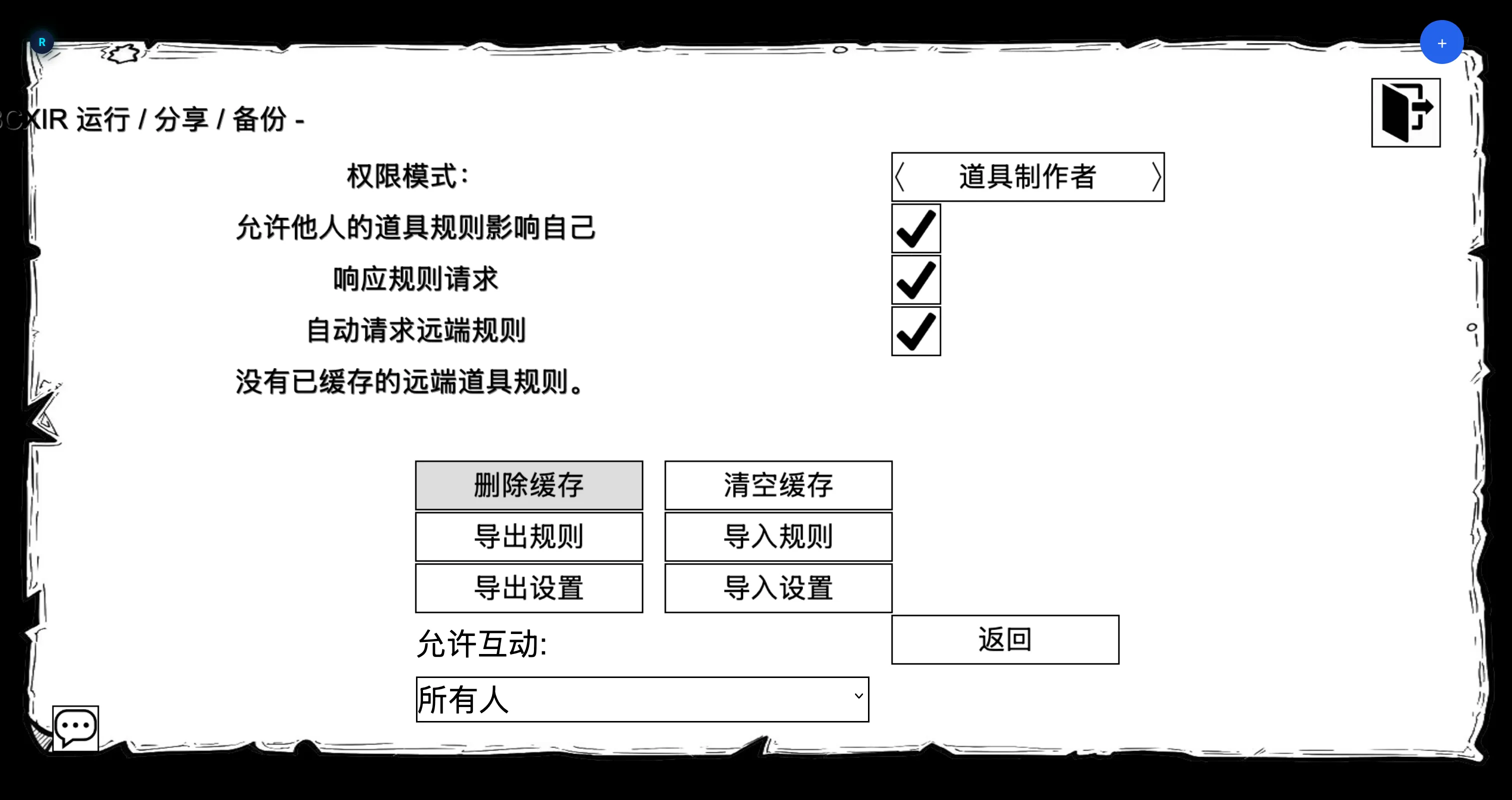
On the creator’s side, BCXIR can respond to these requests automatically (configurable), returning the payload for the requested item name — unless that entry is self-only.
Permission mode: as whom is the rule applied?
The Runtime & Permissions page controls whose authority a rule is applied under locally:
| Mode | Behavior |
|---|---|
| Item creator (default) | The rule is applied with the crafted item’s creator as the BCX query sender. This is the normal sharing mode. |
| Myself | The rule is applied as you, using the previous public API path. |
| Please use me | An advanced mode available only under Dangerous Mode. |
Cached offline creator
In Item creator mode, the creator normally needs to be resolvable for BCX’s permission checks. If the creator is not in the room but you have a trusted cache entry for that creator/item, BCXIR can create a temporary, minimal local creator character so BCX can resolve the sender.
This minimal creator:
- Is used only for local BCX permission checks.
- Is not drawn in the room and not synced to the server.
- Does not answer remote communication and does not receive forced item permission.
- Is reference-counted and cleaned up after success or failure.
The cache is the trust boundary: offline creator application only happens for payloads you already cached from that creator. This is toggled by allowCachedOfflineCreator on the Runtime & Permissions page.
Controlling what you share and accept
Self-only (per item)
Mark a registry entry self-only so it applies to you but is never returned to other players’ requests. See Creating Item Rules.
Foreign item rules (global)
On the Runtime & Permissions page, Foreign item rules controls whether other people’s items may affect you at all. When disabled:
- No remote requests are sent.
- No remote cache is applied.
- No new minimal offline-creator usage occurs.
- Existing managed remote rules are released on the next sync through the normal cleanup path.
Cache & Sharing page
The Cache & Sharing page owns the other sharing controls:
- Responding to incoming requests.
- Auto-requesting remote rules.
- Transport message visibility.
- Cache deletion and cooldown clearing.
Trust and validation summary
- Remote responses are accepted only from the item’s creator member number.
- The local cache is the trust boundary for applying an offline creator’s rules.
- Missing cache, missing creator member number, malformed payloads, or a BCX query rejection all fail closed — nothing is applied.
For internal details, see How It Works.