Install
Install the BCXIR loader and verify it in game.
Prerequisites
BCX, installed and working in game. BCXIR requires BCX to be available as window.bcx. If BCX is not present, BCXIR will not apply any rules. (You’ll also need a userscript manager — the install step below sets one up.)
Install the loader
You only ever install the loader. The loader is tiny and fetches the latest runtime script automatically, so you rarely need to reinstall it. It runs with @grant none and needs no special permissions.
Install it from GitHub Pages using the canonical, auto-updating URL (this is the URL the loader itself uses to fetch updates):
- Install a userscript manager
A userscript manager runs the script in your browser. Tampermonkey is recommended — it works on Chrome, Edge, Firefox, Safari, and Android.
- Chrome & Edge: turn on userscripts
Chrome and Edge no longer run userscripts until you allow it. Open your browser’s Extensions page (
chrome://extensionsoredge://extensions), find Tampermonkey, open Details, and switch on Allow user scripts. On older versions, turn on Developer mode instead. Firefox and Safari need no extra step. - Open the install link for BCX Item Rules
Click the button below. Your userscript manager will intercept it and open its install page.
- Confirm the installation
Review the script details and click Install in Tampermonkey. Updates are handled automatically afterwards.
On a phone, on Safari, or the script will not run? See the full cross-device install & troubleshooting guide.
Compatibility alias. If you previously installed from
BCXItemRules.user.js, that file is an alias of the loader and still works:https://bondage-studio.github.io/BCX-Item-Rules/BCXItemRules.user.js
How loader updates work
The loader injects the online runtime script from GitHub Pages:
https://bondage-studio.github.io/BCX-Item-Rules/BCXItemRules.script.jsBecause GitHub Pages serves it with a JavaScript content type, the loader adds it as a plain <script> tag — no GM_xmlhttpRequest or eval required. Each load appends a cache-busting parameter so updates take effect immediately:
?t=<timestamp>This keeps the installed userscript small and lets published runtime updates reach you without reinstalling the loader.
Verify the install
- Open Bondage Club in a supported domain (e.g.
bondageprojects.com) and log in. - Make sure BCX has loaded.
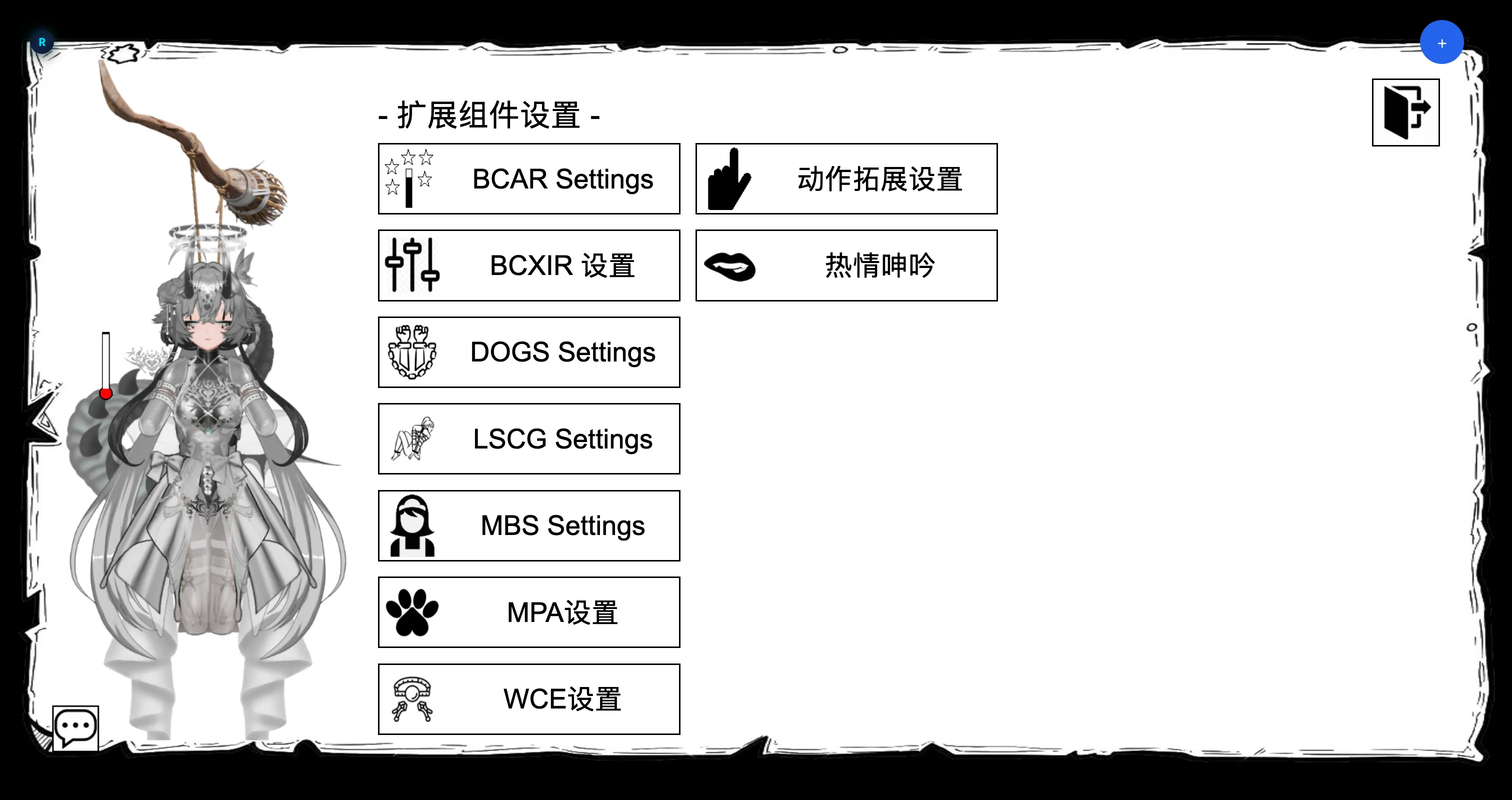
- Open the in-game extension settings menu and look for
BCXIR Settings.
If you can open BCXIR Settings, the install is working. Continue with the Quick Start.
Supported sites
The loader runs on the standard Bondage Club domains, including:
bondageprojects.elementfx.combondage-europe.combondageprojects.combondage-asia.com
(both apex and www. variants).